
XTREME PS
  • Facebook
  • Feedburner
  • Flickr
  • Twitter
  • YouTube
  • RSS
  • Home
  • Features
    • PlayStation Store
    • PS5 Firmware
    • PS4 Firmware
    • PS3 Firmware
    • Guides & Tutorials
  • Firmware History
    • PS5 Firmware History
    • PlayStation Portal Firmware History
    • PS4 Firmware History
    • PS3 Firmware History
    • PSP Firmware History
  • Downloads
    • Adult Material
    • Homebrew
    • Magazines
    • Software
    • Videos
    • XMB Themes
    • XMB Wallpaper
    • Other
  • Guides & Trophies
    • PS5 FAQs
    • PS Portal FAQs
    • PS4 FAQs
    • PS3 FAQs
    • PSP FAQs
    • PSPgo FAQs
    • Guides & Tutorials
    • PS4 Trophies
    • PS3 Trophy Lists & Guides
  • Contact
    • Submit Articles
  • About Us
    • XP Reward Scheme
    • Privacy Policy
Search the site...
  • Home
  • Firmware
  • PS5 Firmware
  • PS5 System Software v25.03-11.20.00

PS5 System Software v25.03-11.20.00

April 25th, 2025 / Niraj Shah / PS5 Firmware
0
PS5 25.03-11.20.00

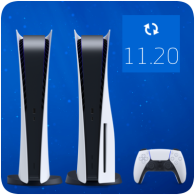
Sony has released a new firmware update for the PS5, bringing the system software to v25.03-11.20.00. As promised earlier this year, Sony has restored the 30th Anniversary Themes that were introduced in December 2024 and removed shortly after.

This update also adds a new Audio Focus option to tweak how in-game sounds and voice chat clearer. As with any other update, you can also expect the usual system and stability improvements.

PS5 System Software Firmware Version v25.03-11.20.00

  • We’ve added audio focus, a feature that supports broader accessibility and allows players to hear quiet in-game sounds and voice chat more clearly.
    • When audio focus is turned on, specific frequencies of quieter sounds are amplified, making car engines, footsteps, in-game character voices, and voice chat clearer. Multiple presets are available to enhance specific frequency ranges.
    • To use audio focus, go to Settings > Sound > Volume > Audio Focus and turn on Use Audio Focus.
    • This feature is only available when using headphones.
  • You can now select a design inspired by your favorite PlayStation console generation and apply it to your home screen and other areas.
    • To apply a design, go to the home screen and select Settings > System > Appearance > Appearance and Sound.
  • We’ve improved system software performance and stability.

Source: PlayStation Support

Firmware 11, PS5, PS5 Digital Edition, PS5 Firmware

Leave a ReplyCancel reply

This site uses Akismet to reduce spam. Learn how your comment data is processed.

PSN Profile

Sponsored Links

PSN Status

Powered by XTREME PS3

© 2005-2026 XTREME PS - A WebNiraj Production
  • Home
  • News
  • PS3 Firmware History
  • PS4 Firmware History
  • PS5 Firmware History
  • About Us
  • Contact
  • Privacy Policy