
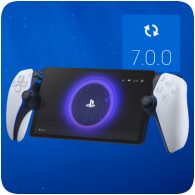
A new major firmware update for the PS Portal has been released, bring a number of changes and improvements. The changes include 1080p as the maximum resolution, as well as other enhancements to cloud gaming.
1080p High Quality is now available as the maximum resolution, according to the release notes below. When using Cloud Streaming or Remote Play, open the quick menu, go to Max Resolution, and select 1080p High Quality. Signing into the PS Portal is now also easier, allowing you to use a QR code and a mobile device.
You can update your PlayStation Portal by going to [Settings] > [System] > [System Software] > [Update System Software].
PlayStation Portal Firmware Version 7.0.0
- We’ve added the following features to enhance your cloud streaming experience. You can now:
- Cloud Streaming is available for PlayStation Plus Premium members. For more details, visit Cloud streaming for PS5 games on PlayStation Portal Remote Player.
- You can now create an account and sign in to your PS Portal with one easy process by scanning a QR code with your mobile device.
- 1080p High Quality is now available as the maximum resolution. When using Cloud Streaming or Remote Play, open the quick menu, go to Max Resolution, and select 1080p High Quality.
- You can check troubleshooting tips from the quick menu.
- We’ve improved system software performance and stability.
- We’ve improved the messages and usability on some screens.
You can check out the PS Portal Firmware history here.
Source: PlayStation Support