The PlayStation 3 has various Parent Control options. You can adjust parent settings for Blu-Ray Disc playback, DVD playback, games, and the [Internet Browser]. Access to these controls requires the use of a 4-digit PIN code (default is 0000). If you have forgotten your PIN, you must perform a System Restore to revert the PIN back to default settings.
- Home
- Articles posted by Niraj Shah (Page 623)
Articles posted by Niraj Shah
How do I access the PlayStation Store?
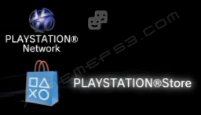
The PlayStation Network Store can be accessed via the bag icon. If you do not see the icon, you must first sign up to the PlayStation Network by clicking on the [Sign up for PLAYSTATION Network] icon under the [PlayStation Network] icon. Once you are registered, the PlayStation Store can be accessed under the [PlayStation Network] menu.
How can I copy files to and from the PlayStation 3?
Files can be imported or exported using many digital storage formats, including external hard drives and USB drives (FAT 16/32 format only). If you have a launch PS3 model, you can also use a selection of memory cards, including Memory Stick Duo and Memory Stick Pro Duo, SD cards, Compact Flash.
Simply insert the memory card/device and wait for the PlayStation 3 to detect the media. Select the item you would like to copy and press
to bring up the option menu. If the item is not copy protected, you will be able to copy it to the external media.
How do I backup my PlayStation 3 savedata?
To backup your PS3 savedata to an external device, go to Game > [Saved Data] and press
to bring up the menu. From the menu, select [Copy] and choose the destination. Data can be imported back to the PlayStation 3 if needed. It is recommended that you backup any important data.
Please note that not all savedata can be backed up. Depending on the model if your PlayStation 3, you may need a USB Memory Card adapter to copy data to memory cards. Copy protected data cannot be copied to external media either. For these games, your savedata is locked to the PlayStation 3 console and cannot be backed up in any way.
How do I use a Bluetooth device with the PlayStation 3?
Before you can use a Bluetooth device with the PS3, you must first register the device with the system. You can do this by going to Settings > [Accessory Settings] > [Register Bluetooth Device] and select the device you want to add. Simply follow the on-screen instructions to add the device to the system. Currently, the PS3 can only handle the following Bluetooth devices:
- Headset
- Sony Blu-Ray remote control
- Keyboard/Mouse
How do I remove a wallpaper from the XMB?
To remove your custom wallpaper and return to the default XMB background, simply go to [Settings] > [Theme Settings] > [Wallpaper] and select [Original]. This option will remove your custom wallpaper. If you would like to replace your wallpaper, rather than remove, simply find a photo you want as your wallpaper and press
to bring the on-screen menu. From the menu, select [Set as Wallpaper].
If you like to restore your original wallpaper, you can simply select [Wallpaper] from the [Theme Settings] menu and your previously stored wallpaper will be used. There is no way to delete the wallpaper from the system, you can only replace it or choose not to use it.
What is Folding@Home?
Folding@home is a feature under Network on the PS3 Home Menu. It is a distributed computing project that is run by Stanford University. The goal of the project is to research protein folding mechanisms in the hope that this will lead to medical treatments for related diseases. You can help out by allowing Stanford University to use your PS3 when is it idle. The power of the PS3 means you contribute a significant amount of CPU time to the project. More information can be found at http://folding.stanford.edu/.
What is the Emotion Engine and Graphic Synthesizer?
The Emotion Engine (EE) is the PlayStation 2 CPU, and the Graphics Synthesizer (GS) is the PS2 graphics chip. Both were included in early PS3 models to achieve backwards compatibility. In later models (CECHC/CECHD/CECHE/CECHF), the EE chip was removed and the PS3 now uses software to achieve backwards compatibility. Naturally, the physical hardware has better backwards compatibility, however, Sony regularly updates the PS2 emulator software via firmware updates.
In the current models (CECHG/CECHH), the GS chip has been removed and so there is no backwards compatibility, since the job of the GS cannot be simulated using software. Eventually, Sony may figure a way out to simulate the GS to bring PS2 compatibility to the current models.
Can I put wallpaper on the XMB? How?
You can only put wallpaper on the XMB if you are using Firmware 1.90 or greater. You can put a photo as a wallpaper by finding the photo you want and pressing TRIANGLE to bring up the onscreen menu. From the menu, select the “Use as Wallpaper” option. Before the photo is added as a wallpaper, you have the ability to zoom in or out of the photo.
Can I write to Blu-Ray discs using the PlayStation 3?
No. The PS3 has a read-only Blu-Ray drive so it can only read from a disc not write. A Blu-Ray Writer drive can be purchased separately for a PC for around the same price as a PlayStation 3.